You see every change first, and you can always go back
Claude can look at your store freely. When it wants to change something, it first shows you what it will change: the current text or price and the new one. It saves only after you say yes.
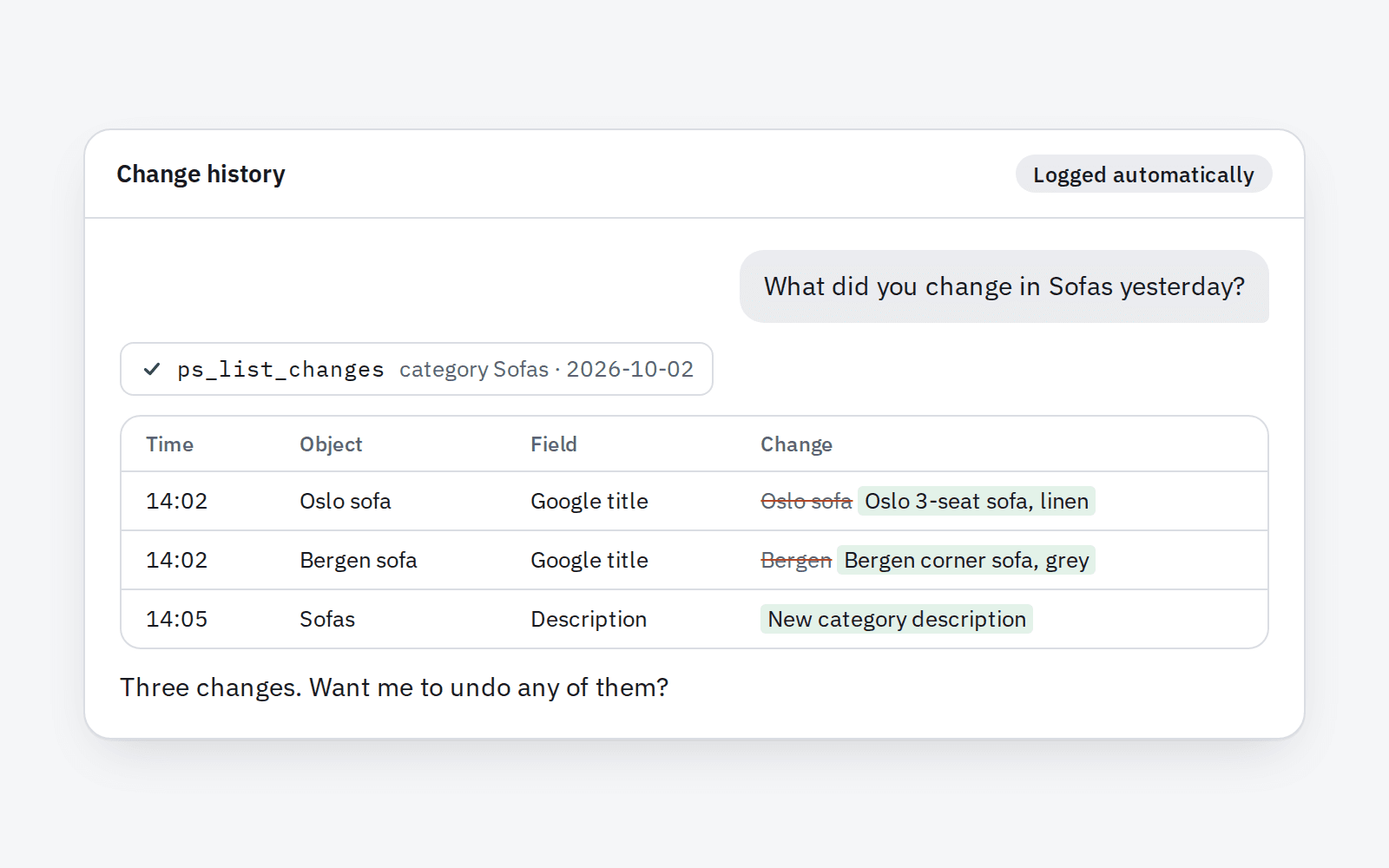
- Nothing changes behind your back. If someone on your team edits the same product after Claude showed you the preview, Claude can't save. It has to show you a fresh preview first.
- Every change is remembered. Ask "What did you change this week?" and you get the list, with the old and new version of each one.
- Undo in one sentence. "Undo the changes to Sofas from Monday" puts the old texts back, even for 40 products at once. Theme files are copied before every change, so the previous look of your store is always one sentence away.
- It works like one of your staff. Claude changes your store the same way an employee does in the back office, with the same checks. Your other modules notice the change as if you had made it by hand, and your store search shows the new texts straight away.
- It only has the permissions you give it. Claude gets its own employee account. If that account can't touch prices, neither can Claude.
- Show me everything you changed this week.
- Undo the Google title changes in Sofas.
For your developer
- Each write runs in two steps. A call without confirmation returns a preview and a
change_token(HMAC of the tool, its arguments and a hash of the "before" state; single use, valid 30 minutes). If the object changes in the back office after the preview, execution is refused. - Writes go through
ObjectModel: field validation with the class rules,setFieldsToUpdate()for changed fields only,update()with theactionObject…Update*hooks (andactionProductSave/actionProductUpdatefor products), a PrestaShop log entry and a change-history entry. Product saves reindex search when indexed fields change. - Claude acts as a dedicated employee;
requirePermissionschecks back-office tab permissions of its profile. - Connector: HTTPS only, Origin limited to claude.ai and claude.com, 120 calls and 60 writes per hour, IP lockout after 20 failed attempts in 10 minutes, optional IP allowlist, main switch. Token stored as a SHA-256 hash.
Tools: ps_list_changes, ps_revert_change, ps_list_file_backups, ps_restore_file_backup
Your customers' data stays private
 Your customers' data stays private
Claude works on your catalog, texts and settings. Your customers' names, emails and addresses are hidden from it by default.
The module finds personal data on its own. coming soon
It recognises every table with emails, names, phone numbers, addresses and IP addresses, including tables from other vendors' modules. You don't have to point at anything.
Three levels instead of one switch. coming soon
No access. Hidden data (default): Claude sees order numbers and amounts, but not who bought. Full access for 1 to 24 hours, for example to handle a complaint, then it switches itself off. You type the reason when you turn it on, and the module logs it.
Files Claude won't open. coming soon
Server logs, customer uploads, database dumps and files with passwords are always blocked. In the error log, emails and IP addresses are hidden.
Encrypted change history. coming soon
Personal data in the change history and file backups is encrypted with a key kept outside the database. A leak of the database alone won't expose it.
For your developer: table detection by column names (email, firstname, lastname, phone, address1, ip_address…) in INFORMATION_SCHEMA; one filter on every tool's output; var/logs, upload/, download/, *.sql, *.gz, .git, parameters.php blocked; libsodium encryption with the key in a file outside the database.
The English version launches in January 2027
Join the list and you'll hear first when it opens, with a 72-hour head start on the launch offer.